
Protect Your Identity During Online Job Applications
Apply with confidence by checking who is asking for your information, limiting what you share and securing the accounts and documents you use.
To protect identity online during job applications, share only the information an employer needs at each stage and verify who is asking for it. Secure your email, use unique passwords, check listings before responding and keep sensitive documents off open links. These habits help Filipino job seekers and OFWs pursue opportunities without exposing personal data unnecessarily.
Protect identity online before you apply
Start with the accounts you will use to search and apply. Create a dedicated email address for applications so recruiter conversations and job alerts are easier to manage separately from personal messages. Choose an address that looks professional, and protect its account with a strong, unique password and two-factor authentication (2FA), where available. For more guidance on protecting application messages and recruiter conversations, read our guide to securing your email when applying abroad.
“A message alone is not proof that the sender represents the employer.”
Do not reuse the same password across email, job boards and company portals. If one account is exposed, a different password on each service helps prevent that credential from opening your other accounts. The verified guidance recommends passwords of at least 12 characters, using a mix of uppercase and lowercase letters, numbers and symbols. A reputable password manager can help generate and store unique passwords. To protect identity online across multiple services, make every account password distinct.
Turn on 2FA for your email and application accounts whenever the service supports it. This adds a second verification step when you sign in. An authenticator app is a useful option when offered; if a platform only provides text-message codes, review the available account recovery settings and keep them current. Treat unexpected login requests and verification codes as private: do not forward them to someone claiming to be a recruiter.
Check the job and recruiter before sharing details

Before applying, compare the listing with information on the employer’s official website and professional profile. Check whether the company name and contact details are consistent, and look for a clear explanation of the role and application process. If the recruiter contacts you directly, verify that person’s details through an official company channel rather than relying only on the message or profile they provide.
Be cautious when an early-stage application asks for highly sensitive information, such as bank details or a social security number. A request for payment to secure a job or process an offer is also a warning sign. Do not send money or banking information through a messaging app. If you are unsure, pause and contact the employer using details published on its official website.
For overseas work, check recruitment information through the Department of Migrant Workers (DMW), the current Philippine agency for migrant-worker matters. Its official DMW website provides information for OFWs, overseas employment, recruitment fees and worker protection. You can also use our practical guide to checking overseas listings and using job platforms safely before you share documents or proceed with an offer.
A credible-looking logo or polished message is not enough on its own. Compare the employer, role and recruiter details across reliable channels, and ask for clarification if the process or requested information is unclear. A genuine opportunity should not require you to ignore your concerns or rush into disclosing personal data.
Share only the information an application needs

Read every online form before submitting it. Give the information needed for that stage of the application, but question requests that seem unrelated to assessing your qualifications. Bank account details, tax identification details and other sensitive data should not be sent simply because a form includes a field for them. If you cannot tell why the information is needed, contact the recruiter or HR department through a verified channel and ask.
Check that the form uses HTTPS by looking for the padlock icon in your browser’s address bar. That check does not prove that a company or listing is legitimate, so verify the recipient as well. If the form appears insecure, do not submit sensitive information. Request a secure portal or another safer method from the employer instead.
Keep copies of what you submit and note which employer or recruiter received each document. This makes it easier to recognize an unexpected follow-up that refers to an application you did not make. Be especially wary of unsolicited messages asking you to resend identity documents, provide a password or share a verification code. Confirm such requests with the company through an official contact route.
“A careful pause before you share can protect far more than a password.”Key insight · POEA Job Finder
Keep your resume and files under control
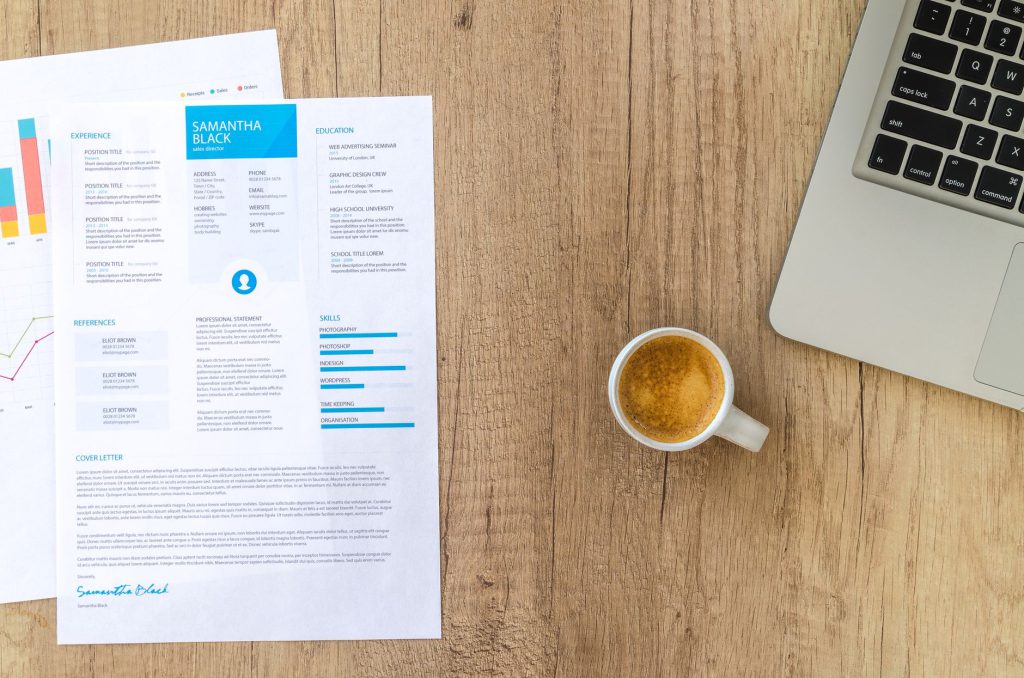
Keep your resume current, but do not put unnecessary personal details in it. Share information relevant to the job and avoid including sensitive numbers or details that the employer has not asked for at the appropriate stage. Before sending a file, check that it is the correct version and that it does not contain information you did not mean to disclose.
Store application documents in a reputable cloud service or a password-protected folder, and secure the account with 2FA if available. Keep access limited to the people who need it. When a sharing link is appropriate, choose view-only access and set an expiry if the service offers that option. Avoid public links that allow anyone who finds them to open your resume or portfolio.
Save a resume as a PDF when that format is accepted. If your PDF tool offers read-only or no-editing permissions, you can use them to discourage changes to the document. A watermark showing your name and the date may also help you identify a copy you shared. These options do not replace checking the recipient: only send files through a channel you have verified.
Use a trusted device for applications when possible, and sign out of job accounts when you finish on a shared computer. Do not save passwords on devices other people use. If you need to work from a public place, avoid sensitive transactions on public Wi-Fi or connect through a trusted VPN, as described in the verified guidance. Never assume a network is private just because it is offered by a familiar venue.
Protect your public profiles and job-board accounts
Recruiters may look at candidates’ social profiles, so review what is visible to people you do not know. Use privacy settings to control access to your contact information, location and employment history. Keep public profile details professional, and be careful about posting a resume or portfolio where anyone can download it. A password-protected or temporary sharing link can give you more control than a public document link.
Choose job platforms with secure login options, HTTPS and clear data-protection information. These signs can help you assess how a platform handles access and submissions, but they do not guarantee that every listing is genuine. Verify the employer and recruiter independently, and avoid accounts that request more information than you need to create a job-seeker profile or apply.
Review your online presence from time to time. The verified guidance suggests setting up alerts for your name and email address and checking for signs that your information is being used without permission. If you spot an unfamiliar account or suspicious activity, contact the relevant service or authority promptly. Do not respond to suspicious messages by sharing more information in an attempt to resolve the issue.
Handle overseas documents with extra care
Overseas applications may eventually require passport or visa documents, but do not send scans to an unverified contact just because a role is described as urgent. First confirm the recruiter and the reason the document is needed. Ask how it will be submitted, who will access it and whether a secure application portal is available.
Keep digital copies in a protected location and encrypt files before uploading when you can. Share them only with the intended recipient through a verified channel. Keep original documents in a secure, fireproof location, and avoid leaving scans in a public folder or open link. Our guide to preparing your passport for overseas job applications covers document readiness, matching personal details and checking visa requirements with official sources.
If you receive a job offer through WhatsApp, Telegram, Facebook Messenger or another messaging app, verify it independently before replying with documents or money. Check the contact against information on the company’s official website or professional profile. A message alone is not proof that the sender represents the employer.
Protecting your identity is part of applying thoughtfully, not a reason to stop pursuing opportunities. Before you press Submit, confirm the recipient, review the information requested, check the file or link you are sharing and make sure you are using a secure account and connection. If anything feels inconsistent, pause and verify it through an official channel. These steps help protect identity online while keeping your application moving. Start with one application today: secure your email, check the employer and share only what the process genuinely requires.